From Prototype to Production: Taking an AI-Built Forge App Live
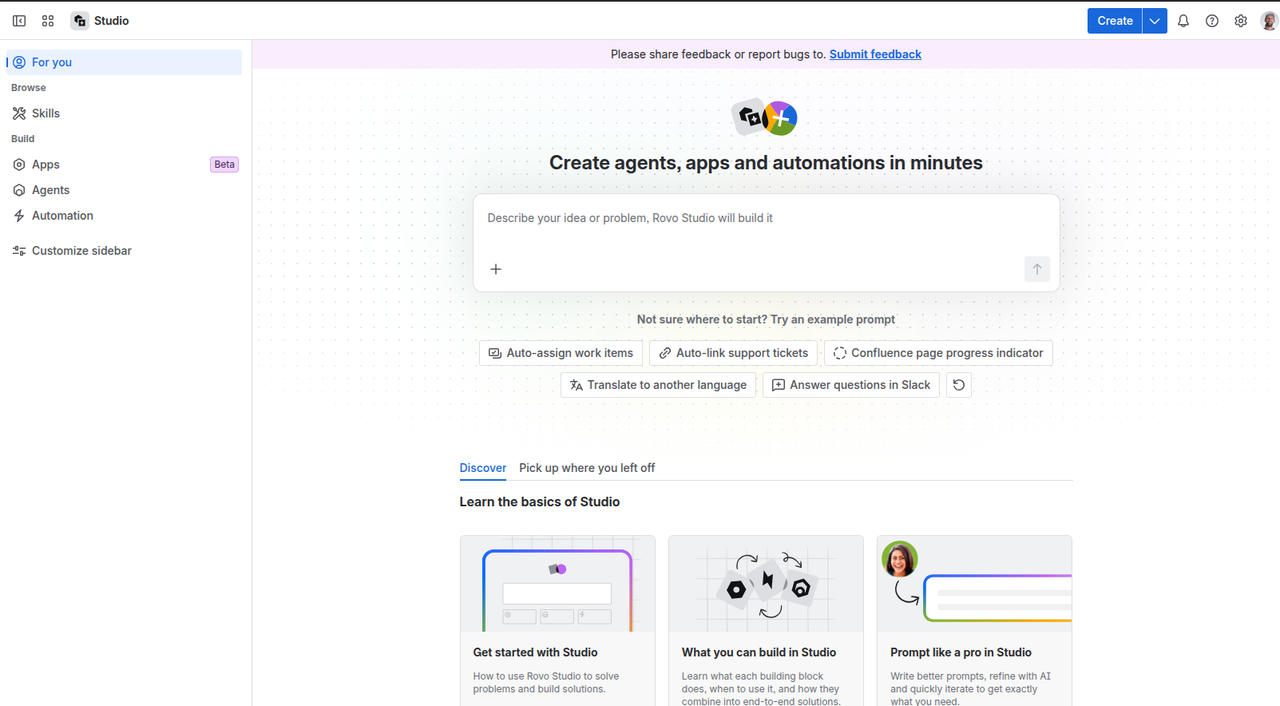
AI app builders have quietly changed the first question every team asks. It used to be “can we even build this?” Today, with tools like Rovo Studio’s App Builder or the no-code app creators on the Marketplace, the honest answer is usually “yes, and faster than you think.” You describe a Jira panel or a Confluence macro in plain language, and a few minutes later it is running on a real instance.
That is genuinely exciting. It also moves the hard part somewhere new. The interesting question is no longer “can I build it?” but “how do I take this prototype to production without nasty surprises?” After building a real cross-product app this way and pushing it all the way toward a production-ready state, here is the part of the journey that the demos rarely show.
The gap between “it runs” and “it ships”
An AI builder optimises for one thing brilliantly: getting you to something that works in front of you. The result looks finished. The trap is that “looks finished” and “is production-ready” are not the same, and the gap is now harder to see precisely because the prototype is so polished.
Most of what follows is not a criticism of these tools. It is simply the checklist that a Forge developer runs through out of habit, and that an AI builder does not run for you.
1. Trust the logs, not the tool’s word
The single most useful habit when taking an AI-built app live: treat “your app is published” and “bug fixed” as claims to verify, not facts. AI builders do not always know the real deployed state of your app, and they will sometimes report success that did not happen.
The source of truth is the Atlassian Developer Console: the deployment history, the runtime logs, and the API metrics. When something does not behave, the logs will tell you the actual HTTP status and error, which is far more reliable than any summary the tool gives you. More than once, the logs corrected both the tool and my own confident guesses.
2. Read the generated code before you ship it
The export from an AI builder is real Forge code, and it often comes with a surprisingly good baseline: linting, tests, even a security scan. But give it a proper read before production, because the things that bite are easy to miss:
- Mock data in the production bundle. Preview data is sometimes compiled straight into the frontend and shown via a fragile heuristic. If that heuristic misfires, a real user can see fake data. Make sure example data cannot reach production.
- Missing pagination. A list that fetches “the first 100” without following the next page will silently truncate for larger data sets.
- Undeclared or mismatched dependencies. Code can rely on a package that is only resolvable by accident. The moment you move to a stricter setup (pnpm, CI, a clean install), the build breaks. Make sure every dependency is actually declared.
A quick local tsc / build and a run of the project’s own checks usually surface these in minutes.
3. Treat permissions and versions as real decisions
This is the part most worth slowing down for. Adding an external API call or a second product means new permissions, and in Forge a new scope or a new egress URL is a major version that requires consent.
AI builders can introduce these quietly: a new permission that lets your app send data to a third-party domain can slide in through a single line in the publish dialog. Pause there and actually read what you are approving, especially anything that sends data outside Atlassian. And remember that external egress has consequences for Runs on Atlassian eligibility and data residency, which matters a great deal to enterprise customers.
For cross-product apps there is an extra subtlety: the app has to be installed in both products, and you have to call the right API with a scope that actually matches the endpoint. Getting asApp() versus asUser() right, and pairing it with the correct scope, is exactly the kind of thing that turns a confusing 401 into a working feature.
4. Get your source of truth straight
The code download from a builder is typically one-way: once you pull it local and continue with the Forge CLI, there is no clean path back into the builder. That is fine, but it means the download is a cut-over point. Pick one source of truth (your Git repository) and stop editing in the builder in parallel, otherwise the two will overwrite each other.
From there it is a normal Forge project: wire up a real CI pipeline that runs the full set of checks (manifest validation, forge lint, type-check, tests, security scan), store secrets properly with encrypted Forge variables rather than hardcoding them, and set the app’s distribution deliberately so the right people can actually use it.
5. Deploy like you mean it
Finally, the production move itself: use real Forge environments and deploy to production explicitly, plan for the consent step that a major version triggers on customer installs, and replace any placeholder endpoints with the real services and their rate limits. None of this is hard once you know it exists. The risk is not knowing it exists.
The prototype-to-production gap is where expertise pays off
AI builders are a remarkable on-ramp. They get a working app in front of you astonishingly fast, and that genuinely changes who can start building on Forge. The craft now lives in the last stretch: reading what was generated, understanding what the code actually does, and hardening it into something you would trust with real data and real users.
That is also very learnable. If your team is starting to build on Forge with these tools and wants to be able to take a prototype all the way to production with confidence, that is exactly what our Forge Developer Trainings cover. And if you would rather have it built and hardened for you, our Atlassian development team is here to help.